
Alternate Stylesheets in CSS

nanadwumor
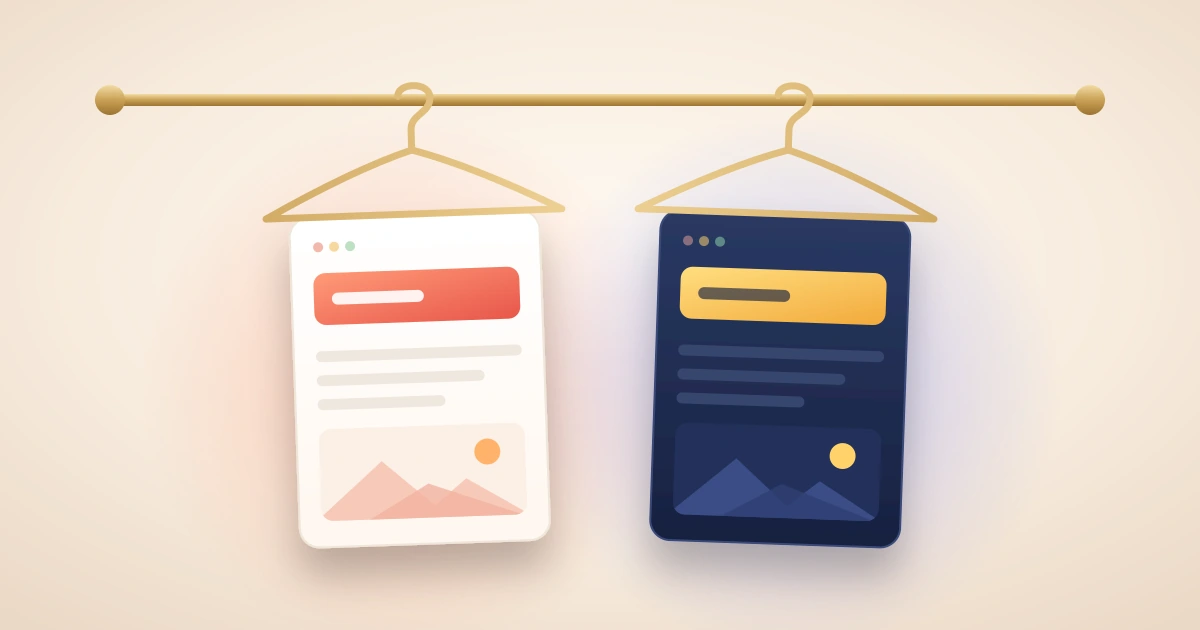
-
Persistent Stylesheets: Have no title and are always active.
-
Preferred Stylesheets: Have a title and set the initial default theme.
-
Alternate Stylesheets: Use rel="alternate stylesheet" with a title to offer optional themes.
-
Modern Usage: Today, theme switching is usually built with CSS variables and JavaScript.
RECOMMENDED ARTICLES

The @import Element – When Is It Used In CSS?
Discover how the [crayon-6ae5c2232a9f5652873056-i/] rule lets you modularize and combine your CSS files like a pro! Function: The [crayon-6ae5c2232aa08259060463-i/] rule loads one stylesheet inside another. Placement: It must always appear before...
The Style Element in CSS
Learn how to quickly add CSS directly to your HTML using the [crayon-6ae5c2232b255621546090-i/] element without any external files required! Definition: The [crayon-6ae5c2232b268162378717-i/] element adds embedded CSS directly inside an HTML...
The Link Element
Without the [crayon-6ae5c2232ba2d765290628-i/] element connecting your HTML structure to your CSS design, your webpage is just a skeleton waiting for its style. External Stylesheets: Separate CSS files style multiple pages simultaneously. The...
In the previous modules, you learned how to connect one or more stylesheets to a webpage.
But what if you want users to choose between different visual designs?
For example:
- Normal text size
- Large text size
- Dark theme
- Light theme
- High-contrast mode
This is where alternate stylesheets come in.
What Is an Alternate Stylesheet?
An alternate stylesheet is a stylesheet that is available for use but is not applied automatically when the page first loads.
Instead, the user can choose to activate it.
Think of alternate stylesheets as optional themes for a website.
Simple Analogy
Imagine buying a smartphone. It comes with several wallpapers:
- Nature wallpaper
- Dark wallpaper
- Sports wallpaper
Only one wallpaper is active at a time.
The others remain available until you choose them. Alternate stylesheets work in a similar way.
Creating an Alternate Stylesheet
To create one, use:
|
1 |
rel="alternate stylesheet" |
Example:
|
1 2 3 |
<link rel="alternate stylesheet" href="large-text.css" title="Large Text"> |
This tells the browser:
“This stylesheet exists, but don’t use it unless the user selects it.”
A Complete Example:
|
1 2 3 4 5 6 7 8 9 |
<link rel="stylesheet" href="default.css" title="Default"> <link rel="alternate stylesheet" href="large-text.css" title="Large Text"> <link rel="alternate stylesheet" href="dark-mode.css" title="Dark Mode"> |
Possible choices:
- Style OptionStylesheet
- Defaultdefault.css
- Large Textlarge-text.css
- Dark Modedark-mode.css
Why Is the title Attribute Important?
The browser uses the title attribute to identify stylesheet choices.
Example:
|
1 |
title="Large Text" |
This is the name shown to users.
Without a title, the browser cannot properly identify alternate stylesheets.
How Browsers Use Titles
Example:
|
1 2 3 |
<link rel="alternate stylesheet" href="dark.css" title="Dark Theme"> |
The browser may display:
Available Styles
✓ Default
○ Dark Theme
The user selects the desired option.
Real-World Example
Imagine an educational website.
Some users may have difficulty reading small text.
You could offer:
|
1 2 3 4 5 6 |
<link rel="stylesheet" href="normal.css" title="Normal Text"> <link rel="alternate stylesheet" href="large.css" title="Large Text"> |
Users can switch to larger text without affecting the website’s content.
The rel attribute
|
1 |
rel="stylesheet" |
The word rel stands for relationship.
The rel attribute describes the relationship between the HTML document and the linked file.
Here it means: This file is a stylesheet.
Grouping Alternate Stylesheets
Sometimes you need different stylesheets for different devices or media.
For example:
- One stylesheet for screens
- Another for printing
Yet both belong to the same theme.
Example
|
1 2 3 4 5 6 7 8 9 10 11 12 13 14 15 16 |
<link rel="stylesheet" href="default-screen.css" title="Default" media="screen"> <link rel="stylesheet" href="default-print.css" title="Default" media="print"> <link rel="alternate stylesheet" href="large-screen.css" title="Large Text" media="screen"> <link rel="alternate stylesheet" href="large-print.css" title="Large Text" media="print"> |
How This Works
Suppose the user chooses:
- Large Text
The browser automatically uses:
- large-screen.css
for screens and,
- large-print.css
for printing.
Because both stylesheets share the same title:
|
1 |
title="Large Text" |
the browser treats them as part of one theme.
Preferred Stylesheets
|
1 |
<title>My Website</title> |
Now let’s discuss a concept that confuses many beginners.
What Is a Preferred Stylesheet?
A preferred stylesheet is a stylesheet that has:
|
1 |
rel="stylesheet" |
It also has a:
|
1 |
title="..." |
Example:
|
1 2 3 |
<link rel="stylesheet" href="default.css" title="Default"> |
This stylesheet becomes the default choice when the page first loads.
Preferred Stylesheet Analogy
Imagine entering a restaurant. The restaurant automatically serves its signature meal. You can request another meal later, but the signature meal is served first. That signature meal is like a preferred stylesheet.
What Happens When an Alternate Style Is Selected?
Suppose the page starts with:
|
1 2 3 |
<link rel="stylesheet" href="default.css" title="Default"> |
The browser loads:
- Default
Now the user chooses:
- Large Text
The browser stops using the preferred stylesheet and switches to the alternate stylesheet.
Only the selected theme remains active.
Important Rule
Once an alternate stylesheet is selected:
Default stylesheet → disabled
Selected alternate stylesheet → active
This prevents conflicting themes.
Common Beginner Mistake: Multiple Preferred Stylesheets
Consider this:
|
1 2 3 4 5 6 7 8 9 |
<link rel="stylesheet" href="layout.css" title="Layout"> <link rel="stylesheet" href="fonts.css" title="Fonts"> <link rel="stylesheet" href="colors.css" title="Colors"> |
At first glance, this seems reasonable. However, all three stylesheets now have titles. This makes all three preferred stylesheets.
Why Is This a Problem?
The browser expects only one preferred stylesheet group.
When multiple unrelated preferred stylesheets exist:
- Browser behavior becomes unpredictable.
- Some stylesheets may be ignored.
- Different browsers may behave differently.
Better Approach
Use titles only when creating alternate stylesheet groups.
For ordinary stylesheets:
|
1 2 3 4 5 6 |
<link rel="stylesheet" href="layout.css"> <link rel="stylesheet" href="fonts.css"> <link rel="stylesheet" href="colors.css"> |
This is much safer.
Persistent Stylesheets
A stylesheet without a title is called a persistent stylesheet.
Example:
|
1 2 |
<link rel="stylesheet" href="layout.css"> |
Persistent stylesheets are always applied.
They cannot be turned off through stylesheet selection.
Why Persistent Stylesheets Are Useful
Many websites need some styles to remain active regardless of the selected theme.
For example:
- Layout styles
- Navigation styles
- Responsive design styles
These should remain active whether the user chooses:
- Dark Mode
- Light Mode
- Large Text
Persistent stylesheets are perfect for this.
Example Setup
- Always Active
|
1 2 3 4 5 6 7 8 9 |
<link rel="stylesheet" href="layout.css"> Theme Choices <link rel="stylesheet" href="light.css" title="Light"> <link rel="alternate stylesheet" href="dark.css" title="Dark"> |
Result:
Layout styles always remain. User chooses Light or Dark theme.
Note
Modern websites rarely rely on browser-provided alternate stylesheet menus.
Today, developers usually build their own theme-switching systems using:
- CSS variables
- JavaScript
- Theme toggles
However, understanding alternate stylesheets helps you understand how stylesheet management evolved.
Memory Aid
Think of clothing.
Persistent Stylesheet.
- Your body.
Always present.
- Preferred Stylesheet
Your default outfit.
- Worn automatically.
Alternate Stylesheet
- Other outfits in your wardrobe.
Available when you choose them.
Common Mistakes Beginners Make
- Forgetting the title Attribute
Wrong:
|
1 2 |
<link rel="alternate stylesheet" href="dark.css"> |
Without a title, the browser cannot identify the alternate style properly.
- Giving Every Stylesheet a Title
Wrong:
- Giving Every Stylesheet a Title
Wrong:
|
1 2 3 4 5 6 |
<link rel="stylesheet" href="layout.css" title="Layout"> <link rel="stylesheet" href="fonts.css" title="Fonts"> |
This may create preferred stylesheet conflicts.
- Confusing Preferred and Persistent Stylesheets
Remember:
| Type | Has Title? |
| Persistent | No |
| Preferred | Yes |
| Alternate | Yes |
- Expecting Modern Browsers to Show Theme Menus
Most modern browsers do not expose alternate stylesheet selection prominently.
Many developers implement theme switching themselves.
Quick Summary
Alternate stylesheets provide optional visual themes.
They use:
|
1 |
rel="alternate stylesheet |
The title attribute identifies each theme.
A stylesheet with:
|
1 |
rel="stylesheet" |
and a title becomes a preferred stylesheet.
A stylesheet without a title becomes a persistent stylesheet.
Persistent stylesheets are always applied.
Alternate stylesheets replace preferred stylesheets when selected.
Modern websites usually implement theme switching using CSS and JavaScript instead.
Recent Comments