
The Link Element
Without the
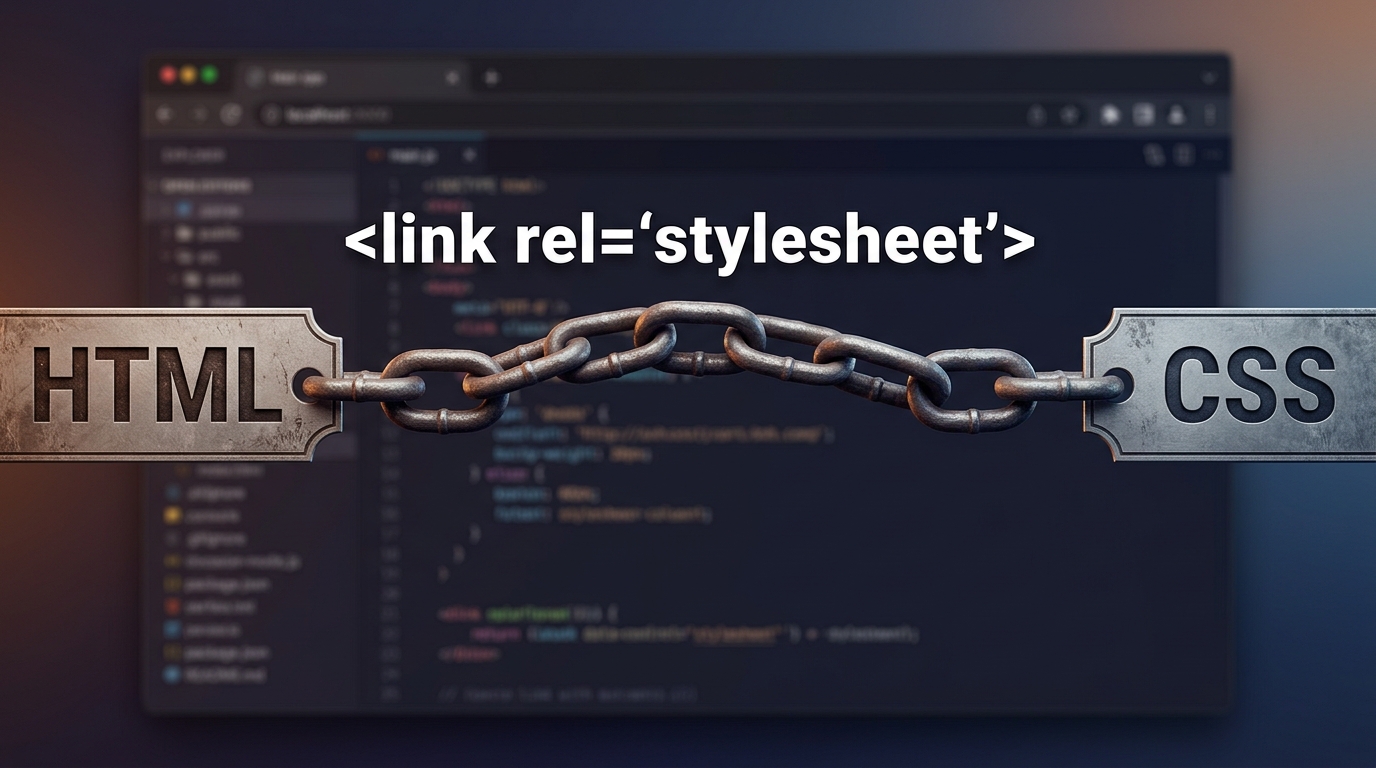
<link> element connecting your HTML structure to your CSS design, your webpage is just a skeleton waiting for its style

nanadwumor
-
External Stylesheets: Separate CSS files style multiple pages simultaneously
-
The <link> Element: Connects HTML to CSS within the <head> tag
-
Key Attributes: rel="stylesheet" defines relation; href sets file path
-
Flexible Styling: Supports device-specific styles and multiple linked CSS files
RECOMMENDED ARTICLES
Connecting CSS to HTML
Without HTML to build the structure and CSS to paint the picture, your website is just invisible code waiting for a connection. HTML provides structure, while CSS controls appearance. External CSS links a separate file and is the best approach....
Understanding Block and inline Elements
Ever wonder why some HTML elements hog the whole line while others sit side-by-side like best friends? Display Roles: Determine how HTML elements handle layout, spacing, and width. Block Elements: Start on new lines and span full container width...
Types of Elements in CSS
A CSS element may look simple, but knowing whether it is replaced or nonreplaced helps you understand how the browser displays and styles it. CSS elements are broadly divided into replaced and nonreplaced elements. Replaced elements display...
In the previous module, you learned that CSS and HTML must be connected before styles can affect a webpage.
The most common and professional way to do this is by using an external stylesheet linked through the <link> element.
This is the method used by almost all modern websites.
What Is an External Stylesheet?
An external stylesheet is a separate file that contains CSS code.
Instead of writing CSS inside an HTML file, you place all the CSS rules in their own file.
For example:
index.html
styles.css
Here:
index.html contains the webpage structure.
styles.css contains the design rules.
The HTML file then connects to the CSS file.
Why Use an External Stylesheet?
Imagine you own a website with 100 pages.
If every page contains its own CSS, updating the design becomes difficult.
For example, suppose you want all headings to become blue.
Without an external stylesheet, you might need to edit 100 files.
With an external stylesheet, you edit one CSS file and every page updates automatically.
Simple Analogy
Think of a school.
Instead of giving every student their own rulebook, the school keeps one master rulebook.
Whenever a rule changes, everyone follows the updated version.
An external stylesheet works the same way.
One CSS file can control many webpages.
The <link> Element
HTML uses the <link> element to connect a webpage to a stylesheet.
Example:
|
1 |
<link rel="stylesheet" href="styles.css"> |
This tells the browser:
“Load the CSS rules from styles.css and apply them to this webpage.”
Understanding the Parts of the Link Element
Example:
|
1 2 3 4 |
<link rel="stylesheet" type="text/css" href="styles.css" media="all"> |
Let’s break it down.
The rel attribute
|
1 |
rel="stylesheet" |
The word rel stands for relationship.
The rel attribute describes the relationship between the HTML document and the linked file.
Here it means: This file is a stylesheet.
Memory Aid
Imagine a delivery box. The rel attribute is the label stuck on the box. Without the label, nobody knows what is inside.
The href attribute
|
1 |
href="styles.css" |
The word href stands for Hypertext Reference. The href attribute tells the browser where the stylesheet is located.
Example:
|
1 |
href="main.css" |
or
|
1 |
href="css/main.css" |
Memory Aid
|
1 |
<title>My Website</title> |
Think of href as a home address.
The browser asks:
“Where does this stylesheet live?”
The href attribute provides the answer.
Relative Paths
Most projects use relative paths.
Example:
|
1 |
href="styles.css" |
This means:
Look in the current folder.
Example Folder Structure
project/
│
├── index.html
│
└── styles.css
The browser finds the CSS file in the same folder as the HTML file.
Relative Path Example with Folders
|
1 |
href="css/styles.css" |
Folder structure:
project/
│
├── index.html
│
└── css/
└── styles.css
The browser enters the css folder to find the stylesheet.
Then it is linked inside the HTML document.
Absolute URLs
A stylesheet can also be loaded from a complete web address.
Example:
|
1 |
href="https://example.com/styles.css" |
This is called an absolute URL.
Relative vs Absolute Paths
| Relative URL | Absolute URL |
| styles.css | https://example.com/styles.css |
| Common in projects | Common for external resources |
The type attribute
|
1 |
type="text/css" |
This tells the browser the type of file being loaded.
Modern browsers usually assume CSS automatically, so this attribute is often omitted.
Today, the following is common:
|
1 |
<link rel="stylesheet" href="styles.css"> |
Note
You may still see type=”text/css” in older books, tutorials, and legacy projects.
Understanding it is useful even though it is often unnecessary today.
The media attribute
|
1 |
media="all" |
This specifies which devices should use the stylesheet.
Examples:
| Value | Meaning |
| all | All Devices |
| screen | Computer and phone screens |
| Printed pages | |
Example:
|
1 2 3 |
<link rel="stylesheet" href="print.css" media="print"> |
This stylesheet is used only when printing.
Why Media Attributes Are Useful
Suppose a webpage looks beautiful on a monitor.
When printed, however, you may want:
larger text
black-and-white colors
hidden advertisements
A print stylesheet can provide those adjustments.
Using Multiple Media Types
You can target more than one media type.
Example:
|
1 2 3 |
<link rel="stylesheet" href="visual.css" media="screen, projection"> |
The stylesheet will apply to:
- Screens
- Projectors
Using Multiple Stylesheets
A webpage can use several CSS files at the same time.
|
1 2 3 4 5 6 |
<link rel="stylesheet" href="layout.css"> <link rel="stylesheet" href="colors.css"> <link rel="stylesheet" href="typography.css"> |
The browser loads all of them.
Why Use Multiple Stylesheets?
Large projects often separate CSS into categories.
Example:
layout.css : controls page structure.
colors.css : controls colors and themes.
typography.css : controls fonts and text appearance.
This makes projects easier to manage.
How Browsers Handle Multiple Stylesheets
Suppose we have:
|
1 2 3 4 |
<link rel="stylesheet" href="layout.css"> <link rel="stylesheet" href="theme.css"> |
The browser:
Loads the first stylesheet.
Loads the second stylesheet.
Combines the rules.
Applies them to the webpage.
Example:
HTML
|
1 2 3 4 5 6 7 8 9 10 11 12 13 14 |
<p class="notice"> Important announcement </p> layout.css .notice { padding: 20px; } theme.css .notice { color: red; } Result: padding: 20px; color: red; |
Both styles are combined.
The title Attribute
Another attribute that may appear is:
|
1 |
title="Dark Theme" |
Example:
This attribute gives the stylesheet a name.
Some browsers can allow users to switch between titled stylesheets.
Although it is not commonly used today, it remains part of HTML.
|
1 2 3 |
<link rel="stylesheet" href="dark.css" title="Dark Theme"> |
Note
You may rarely encounter the title attribute in modern web development, but understanding it helps when working with older websites.
Where Should the Link Element Be Placed?
The <link> element belongs inside the <head> section.
Correct:
|
1 2 3 4 |
<head> <link rel="stylesheet" href="styles.css"> </head> |
Incorrect Placement
Wrong:
|
1 2 3 4 |
<body> <link rel="stylesheet" href="styles.css"> </body> |
Browsers may still try to load it, but this is not the proper location.
Always place stylesheet links inside the head element.
What Happens When the Browser Finds a Link Element?
|
1 2 |
<link rel="stylesheet" href="styles.css"> |
|
1 2 3 4 |
<head> <link rel="stylesheet" href="styles.css"> </head> |
it performs these steps:
Step 1
Load the HTML page.
Step 2
Find the stylesheet reference.
Step 3
Request the CSS file from the server.
Step 4
Read the CSS rules.
Step 5
Apply the styles to the webpage.
Example Project Structure
project/
│
├── index.html
│
└── styles.css
HTML File
project/
│
├── index.html
│
└── styles.css
|
1 2 3 4 5 6 7 8 9 10 11 |
<!DOCTYPE html> <html> <head> <link rel="stylesheet" href="styles.css"> </head> <body> <h1>Travel Blog</h1> <p>Welcome to my website.</p> </body> </html> |
CSS File
|
1 2 3 4 5 6 |
h1 { color: navy; } p { color: gray; } |
The browser combines both files to create the final webpage.
What Does a CSS File Contain?
A CSS file contains only CSS rules.
Example:
|
1 2 3 4 5 6 |
h1 { color: green; } p { font-size: 18px; } |
That’s it. No HTML is required.
Important Rule
A CSS file should not contain HTML tags.
Wrong:
|
1 2 3 4 |
<h1>Hello</h1> p { color: blue; } |
This is invalid.
Correct CSS File
|
1 2 3 4 5 6 |
h1 { color: green; } p { color: blue; } |
Only CSS rules and comments should appear in a stylesheet.
Understanding CSS Comments
Comments are notes for developers.
Example:
|
1 2 3 4 |
/* Main heading styles */ h1 { color: green; } |
The browser ignores comments. They help explain your code.
The .css Extension
Most stylesheet files use the .css extension.
Examples:
- styles.css
- main.css
- layout.css
- theme.css
Why the Extension Matters
The .css extension helps browsers and servers identify the file as a stylesheet.
Although some systems can work without it, using .css avoids compatibility issues.
The @import Rule
Another way to load a stylesheet is using @import.
Example:
|
1 |
@import url("theme.css"); |
This tells one stylesheet to load another stylesheet.
Example
|
1 2 3 4 |
@import url("colors.css"); h1 { color: blue; } |
The browser loads colors.css, and then the remaining CSS rules.
Important Note About @import
If you use @import, it must appear before other CSS rules.
Correct:
|
1 2 3 4 5 6 7 8 9 |
@import url("theme.css"); h1 { color: blue; } Wrong: h1 { color: blue; } @import url("theme.css"); |
This tells one stylesheet to load another stylesheet.
Example
|
1 2 3 4 |
@import url("colors.css"); h1 { color: blue; } |
This may not work properly.
Which Is Better: link or @import?
Most developers prefer:
|
1 2 |
<link rel="stylesheet" href="styles.css"> |
because it is faster, simpler, more widely used, and easier to maintain.
Memory Aid
Think of a movie.
HTML
The actors.
CSS
The costumes.
Link Element
The costume designer bringing costumes to the set.
Without the link element, the actors never receive their costumes.
|
1 2 |
<link rel="stylesheet" href="styles.css"> |
because it is faster, simpler, more widely used, and easier to maintain.
Practice Exercise
Create the following files:
- index.html
- styles.css
|
1 2 |
<link rel="stylesheet" href="styles.css"> |
style.css
|
1 2 3 4 5 6 |
h1 { color: purple; } p { color: darkgreen; } |
index.html
|
1 2 3 4 5 6 7 8 |
<head> <link rel="stylesheet" href="styles.css"> </head> <body> <h1>My Portfolio</h1> <p>Learning CSS is fun.</p> </body> |
Open the page in a browser and confirm that the styles from styles.css are applied successfully.
Recent Comments