
Types of Elements in CSS
A CSS element may look simple, but knowing whether it is replaced or nonreplaced helps you understand how the browser displays and styles it.

nanadwumor
RECOMMENDED ARTICLES

The @import Element – When Is It Used In CSS?
Discover how the [crayon-6aea205ac7e44352722790-i/] rule lets you modularize and combine your CSS files like a pro! Function: The [crayon-6aea205ac7e57158924733-i/] rule loads one stylesheet inside another. Placement: It must always appear before...

The Style Element in CSS
Learn how to quickly add CSS directly to your HTML using the [crayon-6aea205ac85e0643723744-i/] element without any external files required! Definition: The [crayon-6aea205ac85ec670717891-i/] element adds embedded CSS directly inside an HTML...

Alternate Stylesheets in CSS
Discover how native HTML and CSS allow users to switch website themes effortlessly without JavaScript! Persistent Stylesheets: Have no [crayon-6aea205ac8bae510955481-i/] and are always active. Preferred Stylesheets: Have a...
Types of Elements in CSS
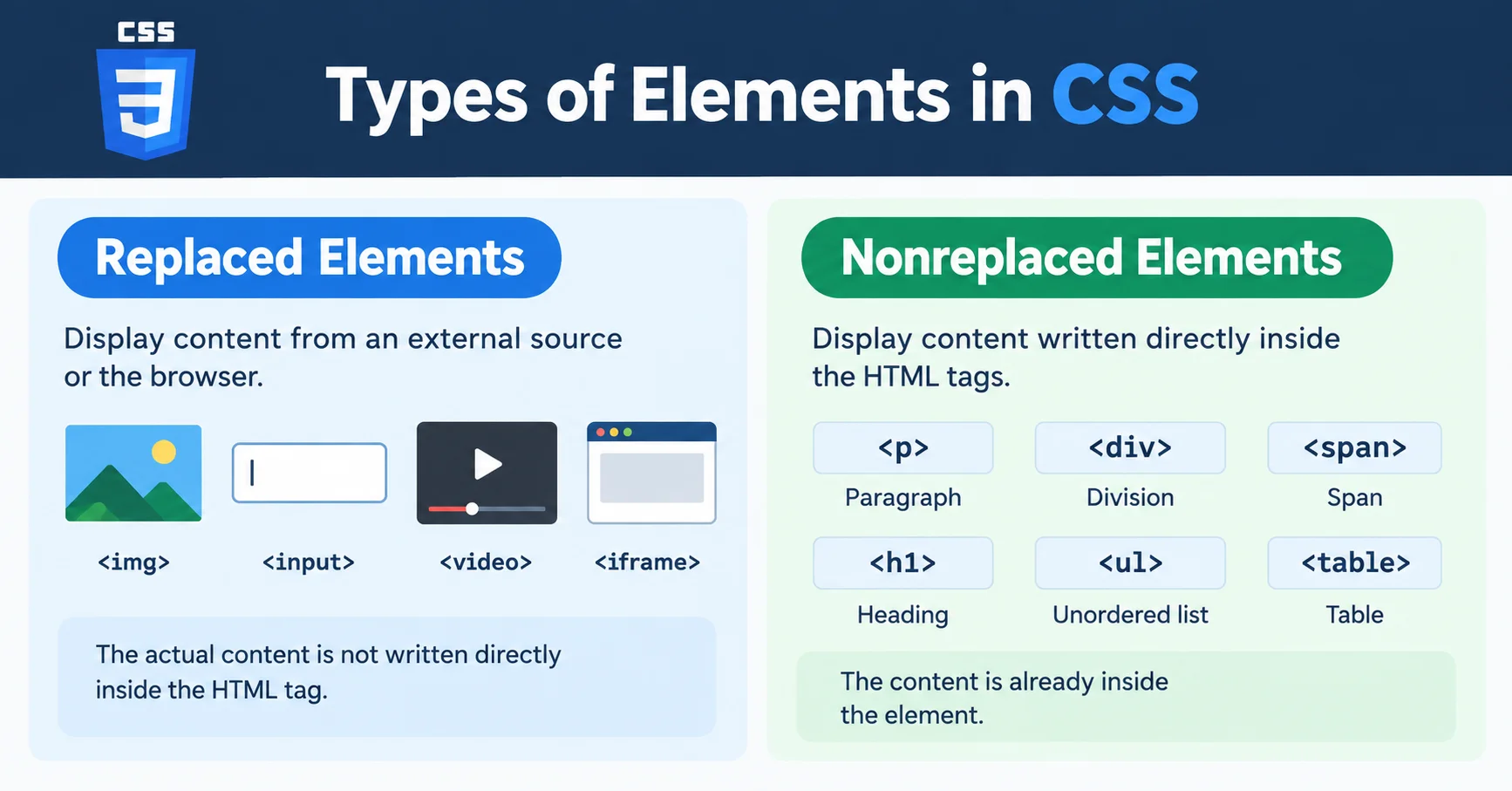
In CSS, elements are generally grouped into two categories:
- Replaced Elements
- Nonreplaced Elements
Understanding this difference helps you predict how elements behave on a webpage.
Replaced Elements
What are Replaced Elements?
A replaced element is an element whose displayed content comes from an external source.
The browser replaces the element with something else.
Simple Definition
The actual content is not written directly inside the HTML tag.
Instead, the browser loads the content from somewhere else.
Common Examples of Replaced Elements
Images
Form inputs
Videos
Embedded content
Example 1: Image Element
|
1 |
<img src="dog.jpg"> |
Notice something important:
The <img> element has no text content inside it.
Instead, the browser loads an image file called dog.jpg.
The image replaces the element visually.
How Replaced Elements Work
Think of a photo frame hanging on a wall.
The frame itself is empty until a picture is inserted.
Similarly:
the HTML tag is like the frame
the external file is the picture
The browser inserts the content into the page.
Example 2: Input Element
|
1 |
<input type="text"> |
This creates a text box.
Again, the browser replaces the element with a visible form control.
Depending on the type attribute, the browser may display:
a text field
a checkbox
a radio button
a color picker
a date selector
Another Example
|
1 |
<input type="checkbox"> |
This becomes a checkbox on the page.
The browser decides how it should appear.
Important Characteristics of Replaced Elements
1. External or Browser-Generated Content
Their content comes from:
external files
or
browser-generated interfaces
|
1 |
<input type="checkbox"> |
This becomes a checkbox on the page.
The browser decides how it should appear.
Important Characteristics of Replaced Elements
2. Some CSS Rules Behave Differently
Replaced elements often respond differently to:
width
height
alignment
object fitting
You will learn this later when studying layouts and images.
Non-Replaced Elements
What are Non-Replaced Elements?
|
1 |
Welcome to my Website |
|
1 |
<p> |
|
1 |
<div> |
|
1 |
<span> |
|
1 |
<h1> |
|
1 |
<ul> |
|
1 |
<li> |
|
1 |
<table> |
|
1 |
<div> |
|
1 |
<div> |
Simple Analogy
|
1 |
<img src="car.png" /> |
|
1 |
<p>Hello World</p> |
Recent Comments